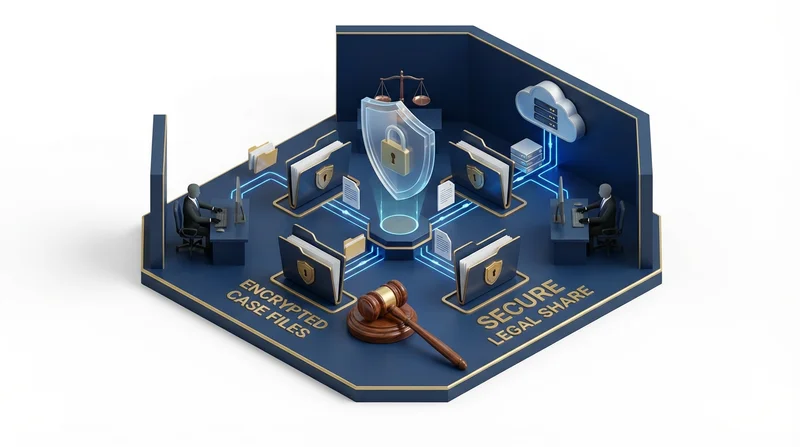
Legal professionals handle some of the most sensitive documents imaginable – client communications, case files, contracts, and confidential business information. Secure file sharing isn't just convenient; it's an ethical obligation. This guide covers secure file sharing practices for lawyers and legal teams.
Why Legal File Sharing Is Different
Ethical Obligations
- Attorney-client privilege – Communications must stay confidential
- Competence – ABA Model Rule 1.1 requires tech competence
- Confidentiality – Rule 1.6 requires protecting client information
- Supervision – Responsible for staff and vendor security
Regulatory Requirements
- State bar rules on technology
- Court filing requirements
- Industry regulations (healthcare clients = HIPAA compliance)
- International data requirements (GDPR compliance)
Risk Factors
- High-value targets for hackers
- Opposing counsel may attempt discovery
- Malpractice liability for breaches
- Reputation damage from incidents
Security Requirements for Legal Sharing
Essential Features
- end-to-end encryption – Content unreadable if intercepted
- password-protected sharing – Additional access barrier
- link expiration – Time-limited access
- download tracking – Audit trail
- two-factor authentication – Account protection
Why GetShared for Legal
GetShared's end-to-end encryption means:
- Files encrypted before leaving your device
- GetShared cannot access content
- Even legal requests only produce encrypted data
- Maximum protection for privileged materials
Legal File Sharing Workflow
Client Documents
- Create client matter folder
- Upload documents
- Create password-protected share link
- Set appropriate expiration
- Send link to client
- Deliver password via separate channel (phone)
- Monitor for download confirmation
Opposing Counsel/Discovery
- Organize by production set
- Document what was shared and when
- Use download tracking for receipt confirmation
- Set expiration after reasonable access period
- Consider Bates numbering in organization
Court Filings
- Check court rules for electronic filing
- May need certified copies
- Cloud sharing may supplement, not replace, official filing
- Maintain chain of custody documentation
Document Management
Organization
Firm Documents/
├── Clients/
│   └── [Client Name]/
│       └── [Matter Name]/
│           ├── Correspondence/
│           ├── Pleadings/
│           ├── Discovery/
│           └── Evidence/
├── Forms & Templates/
└── Administrative/
Version Control
Document revisions are critical in legal work:
- file versioning automatically tracks changes
- Restore previous versions if needed
- Compare iterations
- Maintain edit history
Specific Legal Scenarios
Large Transaction Documents
M&A, real estate closings, financing:
- Virtual data rooms
- Multiple parties need access
- Controlled document distribution
- Detailed access logging
Litigation Support
Case files, evidence, expert reports:
- sending large files for video depositions
- Secure sharing with experts
- Document production tracking
- Privilege review organization
Estate Planning
Wills, trusts, powers of attorney:
- Secure delivery to clients
- Family member access when appropriate
- Long-term document storage
- Succession planning
Working with Clients
Client Expectations
- Clear instructions on accessing files
- sharing without account reduces friction
- Professional custom branding
- Responsive support if issues arise
Receiving Client Documents
- Provide secure upload option
- Clear instructions for clients
- Confirm receipt
- Organize promptly
Compliance Considerations
Data Retention
- Maintain per ethical rules and engagement letters
- Client file retention requirements vary by jurisdiction
- link expiration helps manage active shares
- Archive closed matters appropriately
Breach Response
If security incident occurs:
- Contain – Revoke affected share links
- Assess – Determine what was accessed
- Notify – Inform affected clients per ethics rules
- Document – Create incident report
- Remediate – Address vulnerabilities
Team and Firm Considerations
Firm-Wide Implementation
- team collaboration features for firm-wide deployment
- Standardized security policies
- Training for all staff
- Clear guidelines on file sharing
See Also
- enterprise guide for large firm features
- security best practices for comprehensive security
Conclusion
Legal professionals have heightened obligations for document security. GetShared's end-to-end encryption, comprehensive access controls, and audit capabilities provide the foundation for ethical, secure file sharing. Combined with proper procedures, you can share confidential legal documents with confidence.
sign up for GetShared and protect your clients' confidential information.