In an era of increasing data breaches and privacy concerns, understanding how your files are protected has never been more important. End-to-end encryption (E2EE) represents the gold standard in data security – and it's a cornerstone of how GetShared protects your files.
What Is End-to-End Encryption?
End-to-end encryption is a method of secure communication where only the communicating parties can read the messages – or in our case, access the files. Unlike standard encryption, where the service provider holds encryption keys, E2EE ensures that not even the service itself can decrypt your data.
Think of it like sending a locked box through the mail. With standard encryption, the postal service has a master key that could open any box. With end-to-end encryption, only you and your recipient have keys that work – the postal service never has access.
How Standard Cloud Encryption Works
Most cloud storage services use what's called "server-side encryption" or "encryption at rest." Here's the typical process:
- You upload a file to the cloud
- The file travels encrypted (TLS/SSL)
- The service receives your file and encrypts it using their key
- The encrypted file is stored on their servers
- When you (or anyone with a link) requests the file, the service decrypts it
The critical vulnerability: the service holds the encryption keys. This means:
- Employees with sufficient access could theoretically view your files
- Government requests could compel decryption
- A breach of their key management could expose all user data
How GetShared's End-to-End Encryption Works
GetShared's E2EE operates differently:
- You select files to upload
- Your browser generates a unique encryption key
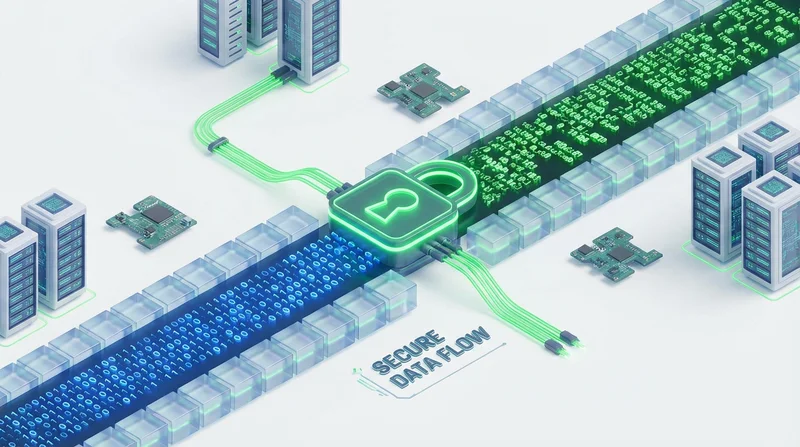
- Files are encrypted on your device using this key
- Only encrypted data is uploaded to GetShared servers
- The encryption key is never sent to our servers
- When sharing, the key is included in the link fragment (after the #)
- Recipients use this key to decrypt files in their browser
Because the encryption key never reaches our servers, GetShared literally cannot access your file contents – even if we wanted to, even if legally compelled.
The Technical Details
Encryption Algorithm
GetShared uses AES-256-GCM (Advanced Encryption Standard with 256-bit keys in Galois/Counter Mode). This is the same encryption standard used by:
- US government classified information
- Banking and financial institutions
- Military communications
AES-256 has never been broken. The number of possible keys (2^256) exceeds the number of atoms in the observable universe.
Key Derivation
When you password-protect a shared file (see password-protected sharing), we use PBKDF2 with SHA-256 and a high iteration count to derive the encryption key from your password. This prevents brute-force attacks even if the encrypted file is intercepted.
Link Structure
GetShared share links look like this:
https://beta.getshared.com/s/abc123#encryption-key-hereThe part after the # (called the fragment identifier) is never sent to our servers – it's processed entirely in your browser. This is a fundamental web security principle that makes E2EE possible.
What E2EE Protects Against
Server Breaches
If attackers breach GetShared's servers, they would obtain only encrypted data without keys. The files would be useless without the corresponding encryption keys.
Insider Threats
GetShared employees cannot access your file contents. This eliminates risks from malicious or careless insiders.
Legal Requests
If presented with a legal demand, GetShared can only provide encrypted data. We cannot decrypt it because we don't have the keys.
Man-in-the-Middle Attacks
Even if someone intercepts your upload, they receive only encrypted data. Without the key (which travels separately in the link), the data is meaningless.
What E2EE Does NOT Protect Against
It's important to understand E2EE's limitations:
Compromised Devices
If your device has malware, attackers might capture files before encryption or keys after receipt. Keep your devices secure with updated software and antivirus protection.
Weak Passwords
If you share links via email and use a weak password, attackers who intercept both the link and password can decrypt files. Use strong passwords and share them through a different channel.
Shared Link Interception
If you share a link over an insecure channel and someone intercepts it (including the fragment with the key), they could access the file. Use secure messaging or password-protected sharing for sensitive files.
Metadata
While file contents are encrypted, metadata (file names, sizes, upload times) may be visible. For maximum privacy, consider generic file names for sensitive documents.
Implementing E2EE in Your Workflow
For Individuals
E2EE is automatic for all GetShared uploads. To maximize security:
- Enable two-factor authentication on your account
- Use password-protected sharing for sensitive files
- Set appropriate link expiration times
- Use download tracking to monitor access
For Teams
GetShared's team collaboration features extend E2EE to collaborative environments:
- Team members can share E2EE files within shared folders
- Admins can enforce E2EE policies
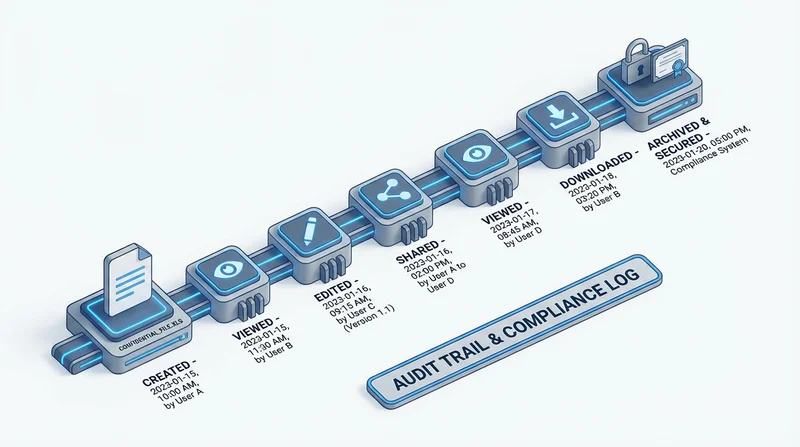
- Audit logs track access without exposing content
For Enterprises
Our enterprise guide offers additional E2EE features:
- Key management integration
- Compliance reporting
- Custom retention policies
E2EE and Compliance
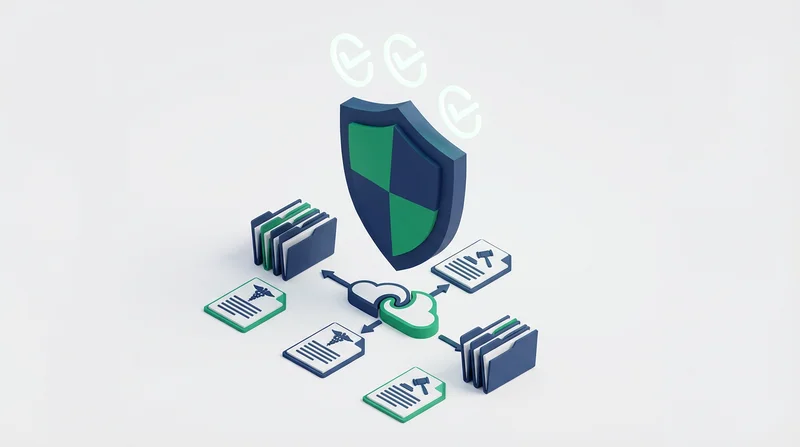
End-to-end encryption helps meet requirements for:
- GDPR – Article 32 requires appropriate security measures. E2EE is specifically mentioned as a recommended safeguard. See our GDPR compliance guide.
- HIPAA – Protected health information (PHI) requires encryption. E2EE exceeds minimum requirements. See our HIPAA compliance guide.
- SOC 2 – Security controls benefit from E2EE implementation
- ISO 27001 – Encryption is a key control for information security management
Comparing E2EE Implementations
| Service | E2EE Available | Default | Free Tier |
|---|---|---|---|
| GetShared | Yes | Yes | Yes |
| Dropbox | No* | No | No |
| Google Drive | Limited** | No | No |
| iCloud | Partial*** | No | Partial |
*Dropbox Vault uses client-side encryption but with different architecture. **Google Workspace offers client-side encryption for enterprise only. ***iCloud Advanced Data Protection covers most but not all data.
The Future of E2EE
As privacy regulations tighten globally and breach risks increase, E2EE is becoming essential rather than optional. GetShared's commitment to E2EE as a default feature – free for all users – reflects our belief that privacy shouldn't be a premium feature.
Getting Started with E2EE
Ready to experience truly private file sharing? sign up for GetShared to start using end-to-end encrypted file sharing today. Your first 20GB is free, and every file you upload is protected by the same encryption trusted by governments and financial institutions.
E2EE Best Practices Summary
- ✓ Enable two-factor authentication for account security
- ✓ Use password protection for sensitive shared files
- ✓ Share passwords through different channels than links
- ✓ Set expiration dates to limit exposure time
- ✓ Monitor downloads with tracking features