Healthcare organizations face strict requirements for protecting patient information. HIPAA violations can result in penalties up to $1.5 million per incident. This comprehensive guide covers HIPAA-compliant file sharing for healthcare providers, insurers, and their business associates.
Understanding HIPAA Requirements
Who Must Comply
HIPAA applies to:
- Covered Entities – Healthcare providers, health plans, healthcare clearinghouses
- Business Associates – Organizations handling PHI on behalf of covered entities
If you share files containing Protected Health Information (PHI), HIPAA likely applies to you.
What is PHI?
Protected Health Information includes any health data linked to an individual:
- Medical records
- Lab results
- Insurance information
- Treatment history
- Prescription data
- Billing information
PHI extends to 18 identifiers including names, addresses, dates, social security numbers, and more.
HIPAA Security Rule Requirements
Administrative Safeguards
- Risk analysis and management
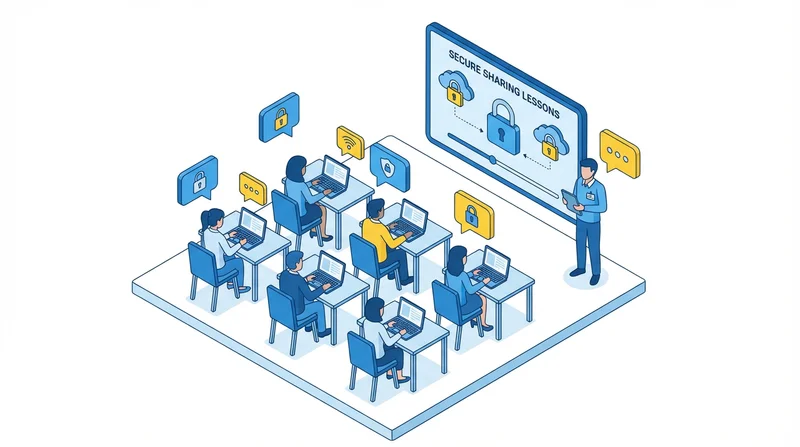
- Workforce training
- Access management procedures
- Incident response plans
- Business associate contracts
Physical Safeguards
- Facility access controls
- Workstation security
- Device controls
Technical Safeguards
- Access controls
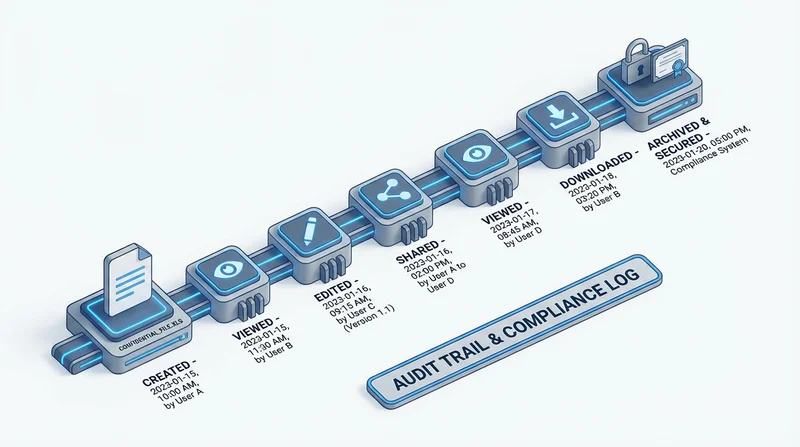
- Audit controls
- Integrity controls
- Transmission security (encryption)
Technical Requirements for File Sharing
Encryption
HIPAA requires encryption for ePHI. GetShared provides:
- end-to-end encryption (HIPAA addressable requirement)
- AES-256 encryption (exceeds HIPAA standards)
- TLS 1.3 for transmission
- Zero-knowledge architecture
Access Controls
Implement "minimum necessary" access:
- password-protected sharing for all PHI
- two-factor authentication mandatory for accounts
- Role-based permissions (team collaboration features)
- Automatic session timeout
Audit Controls
Maintain records of PHI access:
- download tracking for all shares
- User activity logging
- Access history retention
- Exportable audit reports
Integrity Controls
Ensure data isn't improperly altered:
- file versioning tracks changes
- Checksums verify file integrity
- Permission controls prevent unauthorized modification
Business Associate Agreements
Cloud services handling PHI require BAAs. GetShared offers:
- Standard BAA for healthcare accounts
- Custom BAA options for enterprise
- Documentation of security measures
- Incident notification procedures
What Our BAA Covers
- Permitted uses and disclosures
- Security safeguards commitment
- Breach notification within 60 days
- Subcontractor compliance
- Return/destruction of PHI on termination
HIPAA-Compliant Sharing Workflow
Internal Sharing
For sharing within your organization:
- Verify recipient's need-to-know
- Use shared team folders with appropriate permissions
- Apply minimum necessary principle
- Document access in audit trail
External Sharing (Other Covered Entities)
Sharing with other healthcare providers:
- Verify treatment, payment, or operations purpose
- Use encrypted transfer (GetShared)
- Enable password-protected sharing
- Set link expiration (typically 30 days max)
- Communicate password securely (phone or secure messaging)
- Document the disclosure
Patient Access
Patients have the right to their records:
- Verify patient identity
- Use secure sharing link
- Password protect and share credentials securely
- Set reasonable access period
- Log the disclosure
Risk Analysis
HIPAA requires risk analysis. For file sharing, assess:
- Threat sources – External attackers, insider threats, accidental disclosure
- Vulnerabilities – Unencrypted transfers, weak authentication, lack of auditing
- Impact – Patient harm, financial penalties, reputation damage
- Likelihood – Based on your controls and threat environment
Mitigation Through GetShared
| Risk | Mitigation |
|---|---|
| Interception in transit | End-to-end encryption |
| Unauthorized access | Password protection, 2FA |
| Excessive exposure | Link expiration |
| Lack of accountability | Download tracking, audit logs |
| Data modification | Version control, checksums |
Breach Response
HIPAA requires breach notification:
- Individuals – Notify affected patients within 60 days
- HHS – Report breaches affecting 500+ immediately; smaller annually
- Media – For breaches affecting 500+ in a state
Breach Detection
GetShared helps detect breaches through:
- Real-time download notifications
- Anomaly detection (unusual access patterns)
- Access logs for investigation
Training Requirements
Train workforce on:
- HIPAA basics and PHI definition
- Secure file sharing procedures
- Password protection importance
- Incident reporting
Reference our security best practices for training content.
Common HIPAA Violations in File Sharing
Avoid These Mistakes
- Emailing PHI – Use secure file sharing instead
- Unsecured links – Always password protect
- Permanent access – Set expiration dates
- No audit trail – Enable download tracking
- Consumer services – Use HIPAA-compliant platforms only
- Missing BAA – Ensure agreements are in place
GetShared HIPAA Features Summary
| HIPAA Requirement | GetShared Implementation |
|---|---|
| Encryption | AES-256 end-to-end encryption |
| Access Controls | 2FA, passwords, permissions |
| Audit Controls | Download tracking, activity logs |
| Transmission Security | TLS 1.3, zero-knowledge |
| Integrity | Version control, checksums |
| BAA | Available for business accounts |
Conclusion
HIPAA compliance requires careful attention to how PHI is shared. GetShared provides the technical safeguards – encryption, access controls, audit trails – that healthcare organizations need. Combined with proper policies, training, and a Business Associate Agreement, you can share files confidently while protecting patient privacy.
Ready for HIPAA-compliant file sharing? Contact us about GetShared Healthcare plans or sign up for GetShared to get started.