Google Drive dominates cloud storage with over a billion users. But market share doesn't always mean best choice. This comprehensive comparison examines how GetShared stacks up against Google's offering across security, features, and value.
Overview: Different Philosophies
Google Drive is part of Google's ecosystem, tightly integrated with Gmail, Docs, and other Google services. This integration is powerful but comes with trade-offs around privacy and data usage.
GetShared focuses specifically on secure file storage and sharing, with privacy as a foundational principle rather than an afterthought.
Privacy: The Fundamental Difference
Google's Data Practices
Google's business model relies on data. While they state Drive files aren't scanned for ads, Google:
- Analyzes file metadata and sharing patterns
- Integrates Drive data into your Google profile
- Uses aggregated insights for product improvement
- Can access your files for policy enforcement
GetShared's Privacy Approach
GetShared implements end-to-end encryption by default:
- Files encrypted before upload
- Zero-knowledge architecture
- No file content analysis
- Minimal metadata collection
Learn more about protecting your data in our privacy guide.
Storage and Pricing
| Plan | Google Drive | GetShared |
|---|---|---|
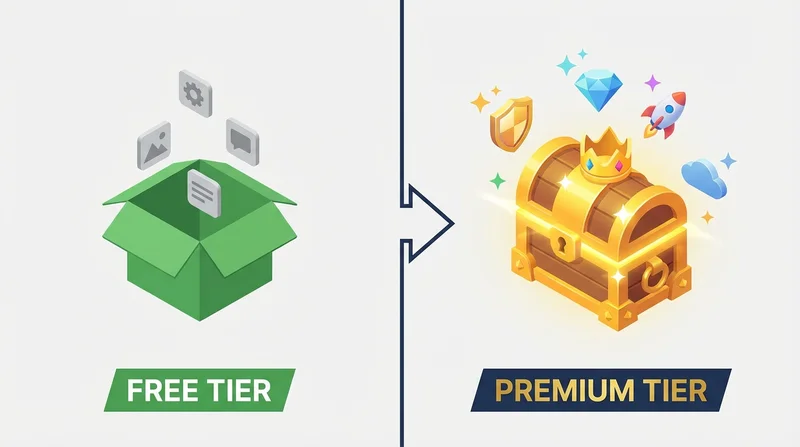
| Free Storage | 15GB (shared with Gmail) | 20GB (dedicated) |
| 100GB | $1.99/month | $5.99/month |
| Premium Features | Paid only | Included free |
While Google's paid storage is cheaper, the free tier comparison favors GetShared – especially when you factor in that Google's 15GB is shared with Gmail and Photos.
Security Features Comparison
Link Security
| Feature | Google Drive | GetShared |
|---|---|---|
| Password Protection | Not available | ✓ Free |
| Link Expiration | Not available | ✓ Free |
| Download Limits | Not available | ✓ Free |
| Download Tracking | Limited | ✓ Detailed |
Google Drive's sharing is notably limited – there's no way to password-protect a shared link or set it to expire. For secure external sharing, GetShared's password-protected sharing and link expiration are essential.
Encryption
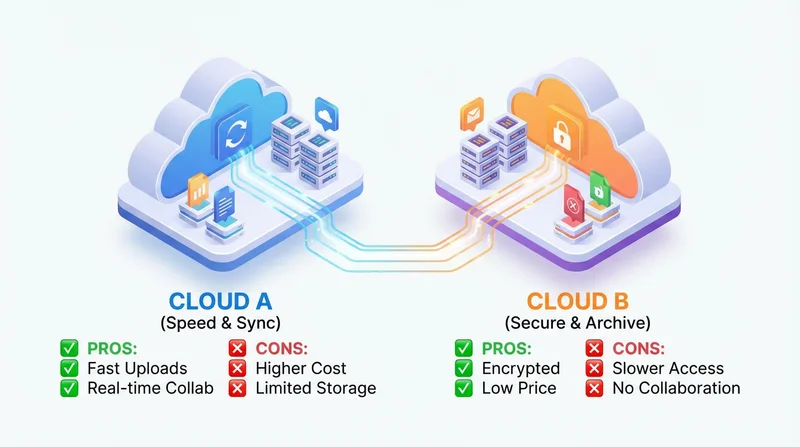
Google uses server-side encryption with keys they control. GetShared uses end-to-end encryption where only you hold the keys. For truly private file storage, this distinction matters significantly.
File Sharing Capabilities
Google Drive Sharing
Google Drive offers:
- Share with specific Google accounts
- Public links (anyone with link)
- View/comment/edit permissions
- Integration with Google Workspace
Limitations:
- Recipients often need Google accounts for full functionality
- No password protection
- No expiration
- Limited analytics
GetShared Sharing
GetShared offers:
- Share with anyone – sharing without account
- password-protected sharing
- link expiration
- download tracking
- custom branding for professional delivery
Collaboration Features
Google Drive excels in real-time collaboration through Docs, Sheets, and Slides. If your workflow depends heavily on collaborative editing, Google's ecosystem is compelling.
GetShared focuses on file sharing rather than editing. Our team collaboration features provide shared folders, permissions, and activity tracking, but not real-time document collaboration.
When to Choose Google
- Heavy use of Google Docs/Sheets/Slides
- Existing Google Workspace organization
- Collaboration more important than security
When to Choose GetShared
- Privacy and security are priorities
- Frequent external file sharing
- Need password protection and expiration
- Want end-to-end encryption
- Prefer not to be part of Google's data ecosystem
Compliance and Business Use
Both services offer compliance features for businesses:
- GDPR: Both compliant, but GetShared's encryption provides stronger technical protection (GDPR compliance)
- HIPAA: Google requires Workspace Business for BAA; GetShared offers BAA on business plans (HIPAA compliance)
Making the Switch
Moving from Google Drive to GetShared is straightforward:
- sign up for GetShared for a free account
- Download files from Google Drive
- Upload to GetShared (drag and drop)
- Enjoy enhanced security and sharing features
Conclusion
Google Drive is a solid choice for those deeply invested in Google's ecosystem and prioritizing collaborative editing. For users who value privacy, need secure external sharing, or want premium features without premium prices, GetShared offers a compelling alternative.
Ready to experience private, secure file sharing? sign up for GetShared and get 20GB free with end-to-end encryption, password protection, and download tracking included.