Organizations often confuse Digital Asset Management (DAM) systems with file sharing services. While both deal with files, they serve fundamentally different purposes. Understanding the distinction helps you choose the right tool – and avoid overpaying for capabilities you don't need.
What Is Digital Asset Management?
DAM systems are specialized platforms for managing large libraries of creative assets – images, videos, graphics, and brand materials. They're designed for organizations that need to organize, search, control, and distribute thousands of media files.
Key DAM Features
- Advanced metadata – Extensive tagging, categories, and custom fields
- Asset search – Find files by visual similarity, metadata, AI tags
- Version control – Track asset revisions and history
- Rights management – Control usage rights, licenses, expiration
- Brand portals – Self-service access for approved assets
- Integrations – Connect with creative tools like Adobe CC
- Transformation – Automatic format conversion and resizing
DAM Use Cases
- Large marketing teams managing thousands of images
- Media companies with extensive video libraries
- Brands needing to control asset usage across partners
- Organizations with complex rights management needs
What Is File Sharing?
File sharing services focus on sending files to recipients – uploading files, generating share links, and enabling downloads. The emphasis is on transfer and access rather than long-term library management.
Key File Sharing Features
- Easy uploads – Drag and drop, large file support
- Share links – Generate links for any file
- Access controls – Password protection, expiration
- Tracking – Know when files are downloaded
- Collaboration – Team folders and sharing
File Sharing Use Cases
- Sending large files to clients
- Sharing project deliverables
- Team file collaboration
- Client file delivery
- One-time transfers
Head-to-Head Comparison
| Aspect | DAM | File Sharing |
|---|---|---|
| Primary purpose | Asset library management | File transfer and access |
| File organization | Extensive metadata, taxonomy | Basic folders |
| Search capabilities | Advanced (AI, visual, metadata) | Basic (name, folder) |
| Rights management | Comprehensive | Limited |
| Cost | $$$$ (enterprise) | $ to $$ (affordable) |
| Setup complexity | Weeks to months | Minutes |
| Best for | Managing large asset libraries | Sending files to people |
Cost Comparison
DAM Systems
Enterprise DAM systems typically cost:
- $1,000 - $10,000+ per month
- Implementation costs
- Training requirements
- Ongoing administration
File Sharing
File sharing services like GetShared cost:
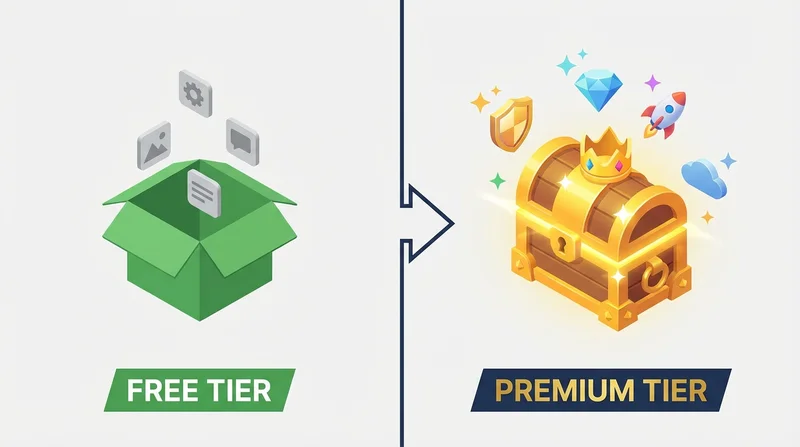
- Free tier available
- Premium plans from $8/month
- No implementation needed
- Minimal training required
When to Choose DAM
Invest in DAM if you have:
- Thousands of assets requiring organization
- Complex rights and usage tracking needs
- Multiple teams needing controlled brand asset access
- Integration requirements with creative tools
- Budget for enterprise software
When to Choose File Sharing
Use file sharing if you need to:
- Send files to clients and partners
- Share project deliverables
- Collaborate on files with teams
- Handle occasional large files
- Keep costs reasonable
Using Both Together
Many organizations use both:
- DAM for internal asset library management
- File sharing for external delivery and ad-hoc transfers
This provides specialized tools for each purpose without overpaying.
GetShared's Approach
GetShared focuses on file sharing excellence:
- Easy uploads and sharing
- Professional branded delivery
- Download tracking
- Security features
- Affordable pricing
If you need brand asset distribution, consider using GetShared's brand asset sharing features.
Conclusion
Choose based on your actual needs:
- DAM – Large asset library management with advanced organization
- File sharing – Sending files to recipients efficiently
Most organizations need file sharing; fewer need full DAM systems. Start with file sharing and upgrade to DAM only if you clearly need its specialized capabilities.