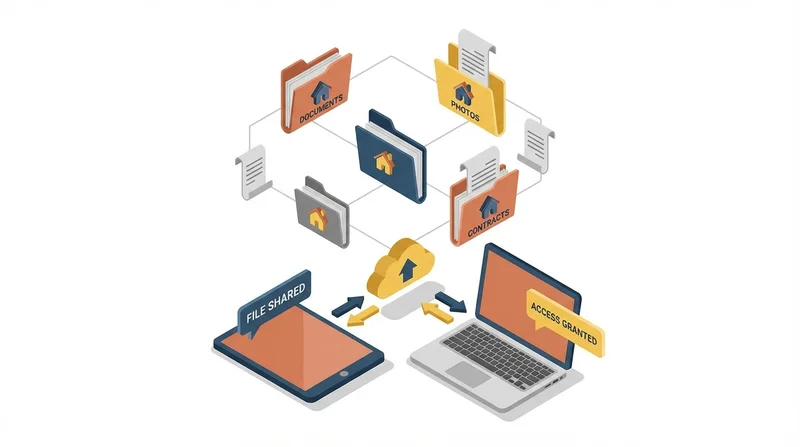
Real estate transactions involve enormous amounts of documentation – contracts, disclosures, inspection reports, property photos, virtual tours, and more. Modern real estate agents need efficient ways to share these files with clients, other agents, lenders, title companies, and attorneys. This guide covers everything real estate professionals need to know about file sharing in 2026.
The File Sharing Challenge in Real Estate
Real estate creates unique file sharing challenges:
- Large files – High-resolution property photos, drone footage, and virtual tours are massive
- Sensitive documents – Contracts contain personal and financial information
- Multiple parties – Each transaction involves many stakeholders
- Time sensitivity – Deals move fast; delays lose sales
- Legal requirements – Documents must be retained and secured
Types of Files Real Estate Agents Share
Property Marketing Materials
- High-resolution listing photos (often 20-50 per property)
- Drone/aerial photography and video
- 3D virtual tours (Matterport, etc.)
- Video walkthroughs
- Floor plans and site plans
- Marketing brochures
Transaction Documents
- Purchase agreements and contracts
- Disclosure forms
- Inspection reports
- Appraisal reports
- Title documents
- Loan documents
- Closing statements
Supporting Materials
- Property surveys
- HOA documents
- Tax records
- Insurance documents
- Repair estimates and receipts
Best Practices for Real Estate File Sharing
1. Organize Files by Transaction
Create a folder structure for each property/transaction:
123 Main Street/
├── Marketing/
│   ├── Photos/
│   ├── Video/
│   └── Virtual Tour/
├── Documents/
│   ├── Listing Agreement/
│   ├── Disclosures/
│   └── Contracts/
└── Closing/
    ├── Inspection/
    ├── Appraisal/
    └── Final Documents/
2. Use Descriptive File Names
Instead of "IMG_4523.jpg", use "123-Main-St-Kitchen-01.jpg". This helps everyone find what they need quickly.
3. Secure Sensitive Documents
Always use password protection for documents containing:
- Social Security numbers
- Financial information
- Personal identification
- Signed contracts before closing
4. Set Appropriate Expiration
Use link expiration for time-sensitive shares. After a transaction closes, you may want links to expire so documents aren't floating around indefinitely.
5. Track Document Access
Use download tracking to confirm when clients have received and accessed important documents. This is invaluable for compliance and reducing "I never got that" situations.
Sharing Property Photos
Property photos are central to real estate marketing. Here's how to share them effectively:
With MLS and Listing Portals
Most MLS systems have their own upload interfaces. However, you'll often need to share original high-resolution files with:
- Photographers
- Marketing teams
- Print advertising vendors
- Other agents requesting files
With Clients
Sellers often want copies of their listing photos. Create a shared folder or send a download link to the complete photo set.
File Format Considerations
- JPEG – Standard for web and most uses
- RAW/TIFF – For editing or print production
- PNG – For graphics with transparency
A typical listing photo shoot produces 500MB-2GB of final images. This is too large for email but perfect for a file sharing link.
Sharing Virtual Tours
3D virtual tours (Matterport, iGuide, etc.) present unique sharing challenges:
Hosted Tours
Most virtual tour platforms host the tour and provide a share link. This is the easiest option – just share the tour URL.
Downloaded Tour Files
If you need to share the actual tour files (for archival, editing, or offline viewing), these can be several gigabytes. Use GetShared for reliable transfer of these large files.
Video Walkthroughs
Video tours shot on phones or cameras are large files. See our guide on sending large video files without quality loss.
Sharing Transaction Documents Securely
Transaction documents require extra security considerations:
Use Encryption
GetShared provides end-to-end encryption for all files. This ensures documents are protected during transfer and storage.
Password Protection
Add passwords to sensitive document links. Share the password separately (by phone, for example) for an extra layer of security.
Download Verification
Track when documents are downloaded to maintain a record of document delivery. This is important for legal compliance.
Document Retention
Real estate professionals must retain transaction documents for specific periods (varies by state, typically 3-7 years). Cloud storage with organized folders makes this manageable.
Professional Presentation
How you share files reflects on your professionalism. Consider:
Custom Branding
With GetShared's branding features, your share pages can display your logo and brand colors. This creates a consistent, professional experience.
Client Portals
For repeat clients or complex transactions, create a dedicated folder where all transaction documents live. The client has one link to access everything.
Mobile-Friendly Sharing
Clients often check files on their phones. Ensure your sharing solution works well on mobile devices. GetShared's responsive interface works seamlessly on any device.
Working with Transaction Coordinators
Many real estate agents work with transaction coordinators (TCs) who manage document flow. Effective file sharing with TCs requires:
- Shared folder access – Give your TC permission to access and add to transaction folders
- Clear organization – Consistent folder structure across all transactions
- Version control – Use file versioning to track document changes
- Communication – Clear naming conventions and notes on file status
Compliance Considerations
NAR Data Security Guidelines
The National Association of Realtors recommends specific data security practices. Using secure file sharing with encryption and access controls helps meet these guidelines.
State Licensing Requirements
Many states have specific requirements for document retention and security. Check your state's regulations.
Wire Fraud Prevention
Real estate wire fraud is a serious concern. Never share wiring instructions via unencrypted email. Use secure file sharing with password protection instead.
Recommended Workflow
New Listing
- Create transaction folder in GetShared
- Upload listing agreement and disclosures
- Share marketing folder with photographer
- Receive and organize photos in Marketing subfolder
- Share photo package with MLS coordinator, stager, etc.
Under Contract
- Create Contracts subfolder
- Upload executed purchase agreement
- Share securely with both parties' agents
- Add inspection, appraisal, and other documents as received
- Track document access for compliance
Closing
- Organize final closing documents
- Share complete package with clients
- Archive transaction folder for required retention period
- Set expiration on any temporary share links
Cost Considerations
Real estate agents share a lot of files. Consider costs when choosing a solution:
- Storage – How much storage do you need for your active listings and archives?
- Transfer limits – Some services limit how much you can upload/download per month
- Team features – If you have a team, you'll need shared access
- Branding – Custom branding often requires premium plans
GetShared's pricing is straightforward with generous storage limits and no transfer caps. See our team plan guide for options suitable for real estate teams.
Integrations
Consider how file sharing integrates with your other tools:
- Transaction management – Dotloop, SkySlope, etc.
- CRM – Follow Up Boss, Boomtown, etc.
- E-signature – DocuSign, dotloop, etc.
- MLS – Your local MLS system
While dedicated real estate platforms have their own file features, a dedicated file sharing service like GetShared often provides better speed, larger file support, and more flexible sharing options.
Conclusion
Effective file sharing is essential for modern real estate professionals. The right solution should be:
- Fast – Upload and download large photo and video files quickly
- Secure – Protect sensitive transaction documents
- Professional – Present a polished image to clients
- Trackable – Know when documents are accessed
- Organized – Keep transactions tidy for compliance
GetShared meets all these requirements while being simple enough for agents who aren't tech experts. Try it free for your next listing and see how much smoother your document workflow can be.