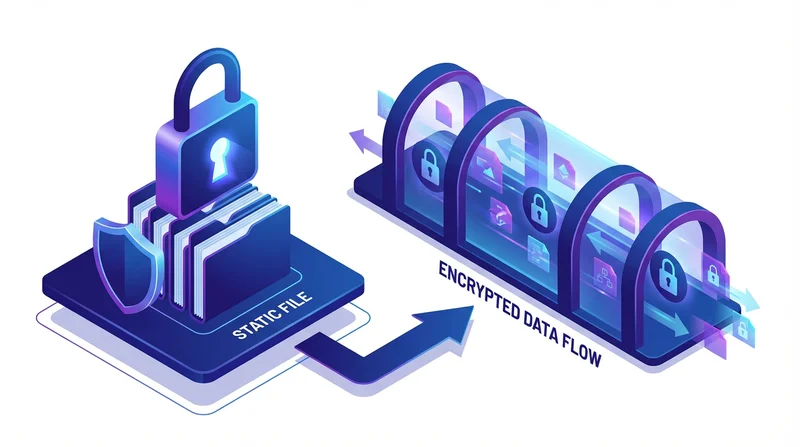
When discussing file sharing security, you'll often hear about encryption "at rest" and "in transit." These aren't just buzzwords – they represent two fundamentally different security layers that protect your files at different stages. Understanding the difference is essential for evaluating any file sharing service.
What Is Encryption In Transit?
Encryption in transit protects your data while it's moving – when you upload a file to a cloud service or when someone downloads it. Think of it as an armored truck transporting your valuables from point A to point B.
How It Works
When you upload a file to GetShared, your browser establishes a secure connection using TLS (Transport Layer Security) – the same technology that secures your online banking. This encrypted tunnel ensures that even if someone intercepts the data as it travels across the internet, they can't read it.
You can verify encryption in transit by checking for:
- HTTPS in the URL (the "S" stands for Secure)
- Padlock icon in your browser address bar
- TLS 1.2 or 1.3 protocol (the latest standards)
What It Protects Against
- Man-in-the-middle attacks – Hackers intercepting data in transit
- Network sniffing – Capturing data on shared networks
- ISP surveillance – Your internet provider seeing file contents
Limitations
Encryption in transit only protects data while it's moving. Once the file reaches the server, this protection ends. It's like the armored truck delivering your valuables to a warehouse – the truck protected them during transport, but now warehouse security takes over.
What Is Encryption At Rest?
Encryption at rest protects your files while they're stored on servers. Even if someone gains physical access to the storage drives or hacks into the server, they can't read the encrypted files without the decryption keys.
How It Works
When files are stored on GetShared servers, they're encrypted using AES-256 – the same encryption standard used by governments and military. AES-256 refers to the key length (256 bits), which would take billions of years to crack with current technology.
The encryption process:
- File arrives at server after transit encryption
- Server encrypts file using AES-256
- Encrypted file is written to storage
- Encryption keys are stored separately and securely
What It Protects Against
- Physical theft – Stolen hard drives are useless without keys
- Server breaches – Hackers can't read encrypted files
- Insider threats – Rogue employees can't access file contents
- Legal seizure – Even with physical access, data remains protected
Why You Need Both
Neither encryption type alone provides complete protection:
| Scenario | In Transit Only | At Rest Only | Both |
|---|---|---|---|
| Data intercepted during upload | Protected | Exposed | Protected |
| Server breach | Exposed | Protected | Protected |
| Physical drive theft | Exposed | Protected | Protected |
| Man-in-the-middle attack | Protected | Exposed | Protected |
A service with only transit encryption leaves your files vulnerable once they reach the server. A service with only at-rest encryption exposes your files during upload and download. You need both for comprehensive protection.
End-to-End Encryption: The Gold Standard
End-to-end encryption (E2EE) takes security further by encrypting files on your device before upload, so the service provider never has access to the unencrypted content. Learn more in our end-to-end encryption guide.
How GetShared Implements Encryption
GetShared provides both encryption types:
- In Transit – TLS 1.3 encryption for all uploads and downloads
- At Rest – AES-256 encryption for all stored files
- Key Management – Encryption keys stored separately from data
- EU Data Centers – Physical security in European facilities
Combined with password protection and two-factor authentication, GetShared provides multiple layers of security.
Questions to Ask File Sharing Services
When evaluating any service, ask:
- Do you encrypt data in transit? What protocol?
- Do you encrypt data at rest? What algorithm?
- How are encryption keys managed?
- Do you offer end-to-end encryption?
- Can your employees access my files?
Conclusion
Encryption in transit and at rest serve different but complementary purposes:
- In Transit – Protects files during upload/download (TLS)
- At Rest – Protects files while stored (AES-256)
- Both Required – Neither alone provides complete protection
GetShared provides both encryption types plus additional security features. See our security best practices for more ways to protect your files.