Data loss is not a matter of if, but when. Hard drives fail, ransomware strikes, accidents happen. A solid backup strategy protects years of work, irreplaceable memories, and business-critical data. This guide covers backup principles and how cloud storage fits into a comprehensive strategy.
The 3-2-1 Backup Rule
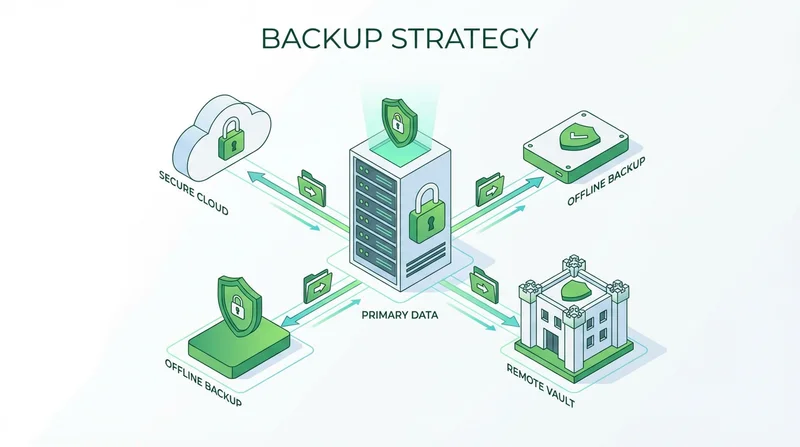
The gold standard for backup strategy:
- 3 copies of your data
- 2 different storage types
- 1 copy offsite
This protects against hardware failure, theft, fire, and other localized disasters.
Types of Backup
Full Backup
Complete copy of all data. Takes longest, uses most space, simplest to restore.
Incremental Backup
Only data changed since last backup. Fast, space-efficient, requires all incrementals to restore.
Differential Backup
Data changed since last full backup. Balance between speed and simplicity.
Mirror/Sync
Exact copy, updated in real-time. Not true backup (deletions sync too), but useful for access.
Cloud Storage in Your Backup Strategy
Cloud as Primary Storage
Modern approach: files born in cloud, synced to devices
- Advantages: Automatic offsite, accessible anywhere, no hardware maintenance
- Considerations: Internet dependent, ongoing costs, provider dependence
Cloud as Backup Destination
Traditional approach: local primary, cloud backup
- Advantages: Offsite protection, geographic redundancy
- Considerations: Backup software needed, upload time for large datasets
GetShared for Backup
GetShared supports both approaches:
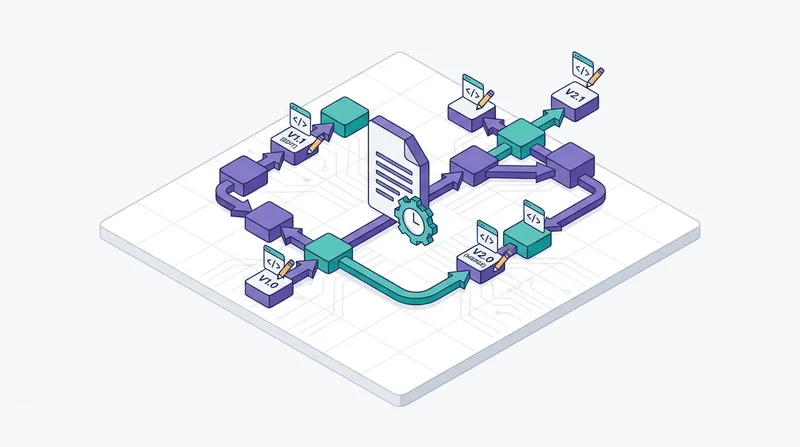
- Primary cloud storage with file versioning
- Backup destination via API integration
- end-to-end encryption protects backup data
- Cross-platform access for restore
What to Back Up
Critical (Irreplaceable)
- Personal photos and videos
- Financial records and tax documents
- Business documents and contracts
- Creative work and projects
- Medical records
Important (Hard to Replace)
- Application settings and configurations
- Email archives
- Browser bookmarks and passwords
- Development projects
Replaceable (Skip or Low Priority)
- Downloaded software (re-download)
- Media libraries (re-rip or streaming)
- Operating systems (reinstall)
Backup Frequency
| Data Type | Recommended Frequency |
|---|---|
| Active work projects | Real-time or daily |
| Documents and photos | Daily to weekly |
| System configuration | Weekly to monthly |
| Archives | After changes |
Implementing Your Strategy
Personal Backup Plan
- Copy 1: Original on your device
- Copy 2: Cloud storage (GetShared)
- Copy 3: External drive, rotated monthly
Business Backup Plan
- Copy 1: Network storage/servers
- Copy 2: Cloud backup (GetShared via API integration)
- Copy 3: Offsite tape or cold storage
Cloud Backup Best Practices
Encryption
Always encrypt backups. GetShared's end-to-end encryption protects data automatically. For additional security, encrypt before upload.
Verification
Regularly verify backups work:
- Test restoration of random files
- Verify file integrity (checksums)
- Document recovery procedures
Automation
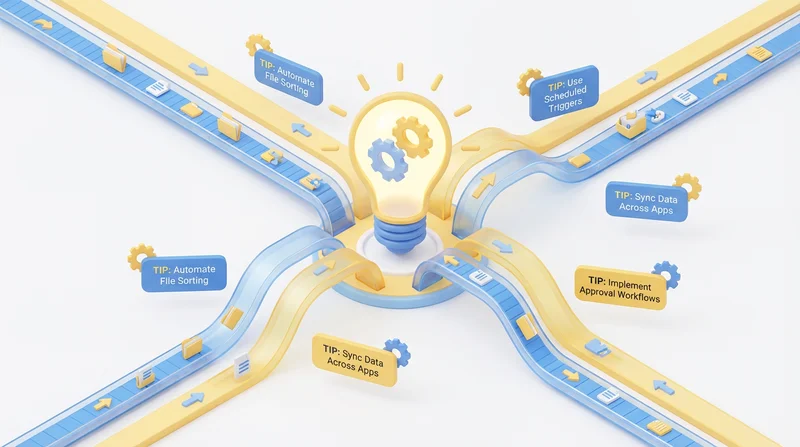
Manual backups get forgotten. Automate using:
- Built-in sync clients
- Backup software
- Scheduled scripts via API integration
Recovery Planning
Document Your Recovery Process
- Where are backups stored?
- What credentials are needed?
- How do you restore specific files vs. full system?
- Who has access to perform recovery?
Recovery Time Objective (RTO)
How quickly must you be operational? This determines backup granularity and storage type (fast cloud vs. slow tape).
Recovery Point Objective (RPO)
How much data loss is acceptable? If answer is "none," you need real-time replication, not periodic backup.
Common Backup Mistakes
- Not testing restores – Backup isn't backup until you've restored
- Single location – Fire/theft takes originals and backup together
- No encryption – Backup theft exposes all your data
- No versioning – Ransomware syncs before you notice
- Manual only – You will forget
Special Considerations
Large File Backups
Video, CAD (CAD file sharing), and other sending large files present challenges:
- Consider incremental backups
- Use GetShared's resumable uploads
- Schedule during off-hours
Compliance Requirements
Some data has retention requirements:
- GDPR compliance – Data minimization vs. required retention
- HIPAA compliance – Healthcare record retention
- Tax records – Typically 7 years
Conclusion
A proper backup strategy is insurance against data disaster. Cloud storage like GetShared provides the offsite component, combined with end-to-end encryption for security and file versioning for recovery from mistakes or attacks. Start building your backup strategy today – your future self will thank you.
sign up for GetShared to add secure cloud storage to your backup strategy.