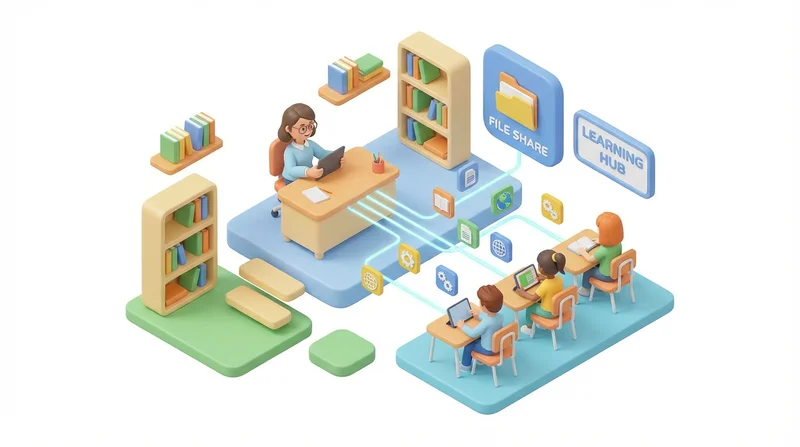
Teachers, professors, and educational institutions share enormous amounts of content – from syllabi and assignments to lecture recordings and research materials. This guide covers secure, effective file sharing for educational environments.
Educational File Sharing Needs
What Educators Share
- Course materials – Syllabi, readings, slides
- Assignments – Instructions, templates, rubrics
- Media – Lecture recordings, educational videos
- Student work – Submissions, graded papers
- Administrative – Forms, policies, schedules
- Research – Papers, data, collaboration files
Unique Challenges
- Privacy regulations – FERPA (student records)
- Large classes – Sharing with hundreds of students
- Varied tech skills – Students and colleagues differ
- Accessibility – Must work for all students
- Budget constraints – Limited institutional resources
Choosing the Right Platform
GetShared for Education
- 20GB free – Enough for a full course
- sharing without account – Students download without signup
- sending large files – Video lectures no problem
- password-protected sharing – Protect student submissions
- link expiration – Semester-based access
vs. LMS (Learning Management System)
| Aspect | GetShared | LMS (Moodle, Canvas) |
|---|---|---|
| Setup | Instant | IT required |
| File size limits | Unlimited | Often limited |
| External sharing | Easy | Complex |
| Cost | Free tier available | Institutional license |
| Grading integration | No | Yes |
Use GetShared for file distribution; LMS for grading and discussion.
Course Material Distribution
Setting Up Course Folders
Course Name - Semester/
├── Syllabus/
├── Week 01 - Introduction/
├── Week 02 - Topic A/
├── ...
├── Assignments/
└── Resources/
Sharing with Students
- Upload materials to appropriate folders
- Create share link for folder
- Post link in LMS or send via email
- Students access without needing accounts
Updating Materials
When you update files:
- Replace file in folder
- file versioning keeps history
- Same link continues working
- Notify students of updates
Video Lecture Sharing
Lecture recordings are often too large for LMS:
- Record lecture (Zoom, OBS, etc.)
- Upload to GetShared (no size limit)
- Create share link
- Post in LMS or course site
See video sharing guide for video optimization tips.
Student Submissions
Receiving Work
For assignments requiring large files (video projects, datasets):
- Students sign up for GetShared (free)
- Upload their submission
- Create share link
- Submit link via LMS or email
Privacy Considerations
- Student work is protected under FERPA
- Use password protection for graded returns
- Avoid sharing student work publicly
- Delete submissions after semester (retention policy)
Research Collaboration
Within Institution
- Use team collaboration features for research groups
- Shared folders for project data
- Permission controls by role
- Version history for drafts
Cross-Institution
- Share links with external collaborators
- password-protected sharing for sensitive data
- download tracking for accountability
- Consider data sharing agreements
Accessibility Considerations
Ensure shared materials are accessible:
- Use standard file formats (PDF, DOCX)
- Include alt text in documents
- Provide transcripts for video
- Test links work on various devices
Best Practices for Educators
- Organize logically – Clear folder structure
- Name clearly – Include week/topic in filenames
- Set expirations – Semester-based access periods
- Communicate – Include access instructions
- Backup – Keep copies of all materials
Conclusion
Effective file sharing enhances education while respecting privacy and accessibility. GetShared's generous free tier and easy sharing make it ideal for educators who need to distribute large files without technical complexity.
sign up for GetShared and streamline your course material distribution.