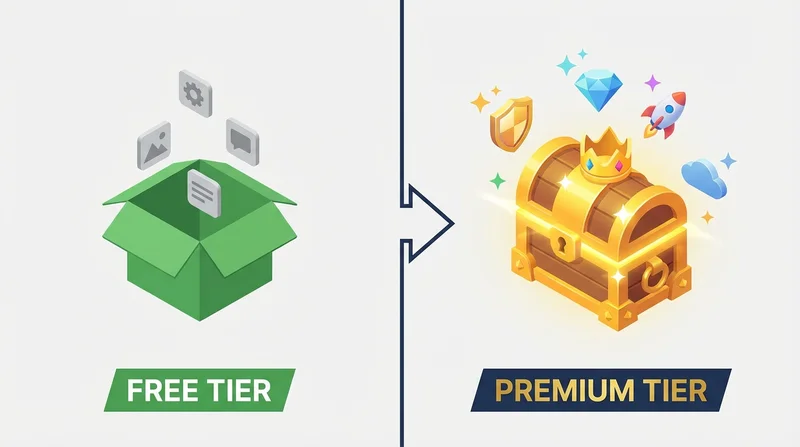
The cloud storage landscape continues to evolve. With dozens of services competing for your files, choosing the right one can be overwhelming. This comprehensive 2026 guide compares the top cloud storage services across security, features, pricing, and usability.
Our Evaluation Criteria
We evaluated services based on:
- Security – Encryption, authentication, compliance
- Free Tier – Storage amount and feature access
- Paid Value – Features per dollar
- Sharing Capabilities – External sharing, controls
- Usability – Apps, interface, reliability
- Integration – Third-party apps, API
Top Cloud Storage Services Compared
1. GetShared – Best for Secure Sharing
Strengths:
- end-to-end encryption included free
- 20GB free storage
- password-protected sharing and link expiration on free tier
- download tracking and analytics
- Clean, modern interface
Best For: Users who frequently share files externally and prioritize security
Pricing: Free 20GB, Pro from $5.99/month
2. Dropbox – Best for Integration
Strengths:
- Excellent third-party integrations
- Reliable sync
- Smart Sync saves local space
- Paper for collaboration
Weaknesses:
- Only 2GB free storage
- Premium features require expensive plans
- No end-to-end encryption
Best For: Users embedded in app ecosystems needing integrations
Pricing: Free 2GB, Plus from $11.99/month
See our detailed Dropbox comparison for more.
3. Google Drive – Best for Google Workspace Users
Strengths:
- Deep Google ecosystem integration
- 15GB free (shared with Gmail)
- Excellent collaborative editing (Docs, Sheets)
- Affordable paid storage
Weaknesses:
- Privacy concerns (Google's data practices)
- No password-protected sharing
- No link expiration
- No end-to-end encryption for consumers
Best For: Google Workspace users, collaborative document editing
Pricing: Free 15GB, 100GB from $1.99/month
4. iCloud – Best for Apple Users
Strengths:
- Seamless Apple device integration
- Advanced Data Protection (E2EE option)
- Family sharing built-in
- Device backup included
Weaknesses:
- Limited to Apple ecosystem
- Only 5GB free
- Poor web experience
- Limited sharing controls
Best For: Apple-only households
Pricing: Free 5GB, 50GB from $0.99/month
5. Microsoft OneDrive – Best for Microsoft 365
Strengths:
- Office 365 integration
- Personal Vault for sensitive files
- Good team features
- 1TB included with Microsoft 365
Weaknesses:
- Only 5GB free standalone
- Some features Windows-only
- Complex pricing
Best For: Microsoft 365 subscribers
Pricing: Free 5GB, 100GB from $1.99/month
Feature Comparison Matrix
| Feature | GetShared | Dropbox | Google Drive | iCloud | OneDrive |
|---|---|---|---|---|---|
| Free Storage | 20GB | 2GB | 15GB | 5GB | 5GB |
| E2E Encryption | ✓ Free | ✗ | Enterprise only | Optional | ✗ |
| Password Links | ✓ Free | Paid | ✗ | ✗ | ✗ |
| Link Expiration | ✓ Free | Paid | ✗ | ✗ | ✓ |
| Download Tracking | ✓ Free | Business | Limited | ✗ | Business |
| Version History | 30 days | 30 days | 30 days | 30 days | 93 days |
Security Comparison
Encryption
Only GetShared offers end-to-end encryption on free accounts. This means:
- Files encrypted before upload
- Provider cannot access your data
- Maximum protection against breaches
Other services use server-side encryption where they hold the keys.
Authentication
All services offer two-factor authentication, but implementation varies. GetShared supports hardware security keys on all plans.
Use Case Recommendations
For Security-Conscious Users
Choose GetShared – End-to-end encryption, password protection, and link expiration all included free.
For Apple Ecosystem
Choose iCloud – Seamless integration if you're all-Apple, enable Advanced Data Protection for encryption.
For Google Workspace Teams
Choose Google Drive – Deep integration with Docs, Sheets, Slides, Gmail.
For Microsoft 365 Users
Choose OneDrive – Included with subscription, Office integration.
For Heavy Integration Needs
Choose Dropbox – Broadest third-party app support.
The Verdict
For most users in 2026, GetShared offers the best combination of security, features, and value. The 20GB free tier with enterprise-grade security features outpaces competitors who reserve these capabilities for expensive plans.
If you're heavily invested in a specific ecosystem (Apple, Google, Microsoft), those native services make sense. But for file sharing – especially external sharing – GetShared's purpose-built features are unmatched.
Ready to try the best? sign up for GetShared and get 20GB free with all security features included.