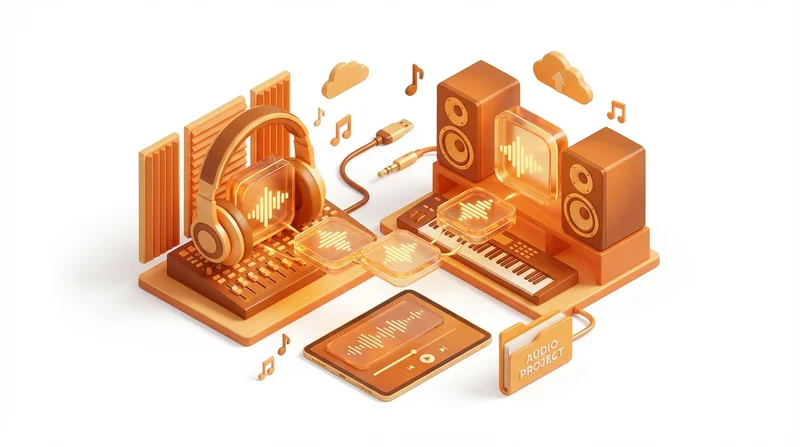
Whether you're a musician sharing stems with a mixer, a podcaster sending raw recordings to an editor, or a producer collaborating with artists remotely, sharing large audio files is a regular challenge. Uncompressed audio files can be huge, and quality matters. This guide covers everything audio professionals need to know about file sharing.
Understanding Audio File Sizes
Audio files vary dramatically in size depending on format and quality:
| Format | Quality | 1 Minute | 1 Hour |
|---|---|---|---|
| MP3 128kbps | Low (streaming) | 1 MB | 60 MB |
| MP3 320kbps | High (consumer) | 2.4 MB | 144 MB |
| WAV 16-bit/44.1kHz | CD quality | 10 MB | 600 MB |
| WAV 24-bit/48kHz | Broadcast | 17 MB | 1 GB |
| WAV 24-bit/96kHz | High-res audio | 34 MB | 2 GB |
| WAV 32-bit float/96kHz | Studio master | 45 MB | 2.7 GB |
Now multiply by the number of tracks. A 10-track session at 24-bit/48kHz for a 5-minute song is already 850MB. Add all the takes, stems, and project files, and you can easily exceed 10GB for a single song.
What Audio Professionals Typically Share
Stems
Grouped exports of your tracks – drums, bass, guitars, vocals, etc. Typically 8-24 stereo files per song, often totaling several GB.
Multitracks
Individual tracks for mixing. Could be 50+ tracks for a complex production, easily 5-20GB per song.
Session Files
Full DAW project files (Pro Tools, Logic, Ableton, etc.) with all audio and settings. Can be 10-50GB+.
Masters
Final mixed/mastered files. Smaller (one stereo file) but still significant at high resolutions.
Reference Files
MP3 bounces for quick review. Small but numerous during production.
Best Methods for Sharing Audio Files
Method 1: Dedicated File Sharing (Recommended)
Using GetShared or similar services is the most reliable method for audio professionals.
Why it works:
- Handles files of any size
- Fast uploads and downloads
- No compression or format conversion
- Track when files are downloaded
- Password protection for unreleased material
How to share stems via GetShared:
- Export stems from your DAW
- Organize in a clearly labeled folder
- Upload the folder to GetShared
- Generate a share link
- Add password protection if needed
- Send link to collaborator
Method 2: Cloud Storage
Google Drive, Dropbox, etc. can work but have limitations:
- Upload speeds often slower than dedicated services
- Free storage limits may be insufficient
- Recipients may need accounts
- Web interface less suited for large file collections
Method 3: Physical Media
For extremely large sessions (100GB+), mailing a hard drive may still be practical:
- No upload time
- Reliable for huge amounts of data
- But slow – shipping takes days
- And risky – drives can be lost or damaged
Preparing Files for Transfer
Naming Conventions
Use clear, consistent names:
SongTitle_Stems/
├── 01_Drums_Kick.wav
├── 02_Drums_Snare.wav
├── 03_Drums_Overhead_L.wav
├── 04_Drums_Overhead_R.wav
├── 05_Bass_DI.wav
├── 06_Bass_Amp.wav
├── 07_Guitar_Rhythm.wav
├── 08_Guitar_Lead.wav
├── 09_Vocals_Lead.wav
├── 10_Vocals_Harmony.wav
└── README.txt
Include a README
Always include a text file with:
- BPM and key
- Sample rate and bit depth
- Start time (bars/beats)
- Any notes about the session
- Your contact information
Consolidate Before Sending
If sending full sessions, consolidate audio files so everything is self-contained. Missing samples are a common problem.
Format Considerations
Lossless Formats
- WAV – Universal compatibility, standard choice
- AIFF – Apple equivalent, same quality as WAV
- FLAC – Compressed but lossless, saves space but less compatible
Bit Depth
- 16-bit – CD quality, sufficient for most final delivery
- 24-bit – Standard for professional work, more headroom
- 32-bit float – Maximum quality, used in professional studios
Sample Rate
- 44.1kHz – CD standard, sufficient for most purposes
- 48kHz – Video standard, common for production
- 96kHz – High resolution, used in professional studios
Tip: Share files at the session's native sample rate/bit depth. Don't convert unless specifically requested.
Secure Sharing for Unreleased Music
Leaks can be devastating. Protect unreleased material:
- Password protection – Always use passwords for unreleased content
- Link expiration – Set links to expire after download
- Download limits – Allow only the expected number of downloads
- Watermarking – Consider audio watermarks for reference files
- NDA – Have collaborators sign agreements for sensitive projects
Workflow Tips
Organize as You Go
Don't wait until sharing to organize. Keep sessions tidy throughout production.
Export Settings Presets
Create DAW presets for common export scenarios (stems, multitracks, reference bounce).
Document Your Process
Keep notes about what was sent to whom and when. GetShared's analytics help with this.
Version Control
Use clear versioning: "SongTitle_Stems_v1", "SongTitle_Stems_v2", etc. See our file versioning guide.
Common Scenarios
Sending Stems to a Mixer
- Export stems at session sample rate/bit depth
- All files should start at the same point (bar 1)
- Include reference mix MP3
- Add README with BPM, key, and notes
- Upload to GetShared with password
- Send link and password separately
Sharing Session with Remote Collaborator
- Consolidate all audio to session folder
- Include plug-in notes (in case they don't have same plug-ins)
- Consider bouncing any virtual instruments
- Compress folder (ZIP) to reduce size
- Upload and share
Delivering Masters to Client
- Deliver in requested formats (often multiple: WAV, MP3, etc.)
- Organize by format
- Include metadata documentation
- Use branded share page for professional presentation
- Track download to confirm receipt
Troubleshooting
"Upload is taking forever"
- Audio files are large – be patient
- Upload overnight if necessary
- Use wired connection, not WiFi
- Close other bandwidth-heavy applications
"Collaborator says files won't open"
- Verify they have compatible software
- Check sample rate/bit depth compatibility
- Ensure files weren't corrupted – try re-uploading
- Provide MP3 versions as fallback
"Session is too large to upload"
- Split into multiple uploads
- Consider what's actually needed – full session or just stems?
- Use ZIP compression (modest savings for audio but helps)
- Upgrade to a plan with higher limits if needed
Conclusion
Sharing large audio files efficiently is essential for modern music production and audio work. The key points:
- Use dedicated file sharing – GetShared handles large files reliably
- Organize clearly – Good naming saves everyone time
- Include documentation – BPM, key, sample rate, notes
- Protect unreleased material – Password protection and link expiration
- Track delivery – Know when collaborators receive files
Ready to share your audio files professionally? Try GetShared free – we're built for large file transfers.