When you share important files, you want to know: Did they receive it? Did they download it? When? Tracking file downloads provides valuable insights and peace of mind. This guide covers everything about file download tracking and analytics.
Why Track File Downloads?
Download tracking serves several purposes:
- Confirmation – Know that recipients received your files
- Follow-up timing – Contact recipients after they've reviewed materials
- Security monitoring – Detect unauthorized access
- Workflow improvement – Understand how shared files are used
- Documentation – Prove files were delivered for legal/compliance purposes
What Download Tracking Reveals
Comprehensive tracking provides:
Basic Information
- Number of downloads
- Date and time of each download
- Whether the file was downloaded at all
Advanced Information
- Geographic location (country/region)
- Device type (desktop, mobile, tablet)
- Browser used
- IP address
- Time spent previewing before download
How to Track Downloads with GetShared
Setting Up Tracking
GetShared automatically tracks downloads on all shared files. No setup required – analytics are collected from the moment you share.
Viewing Analytics
- Go to your shared files in the dashboard
- Click on the file or share link
- View the "Analytics" or "Activity" tab
- See detailed access log with timestamps
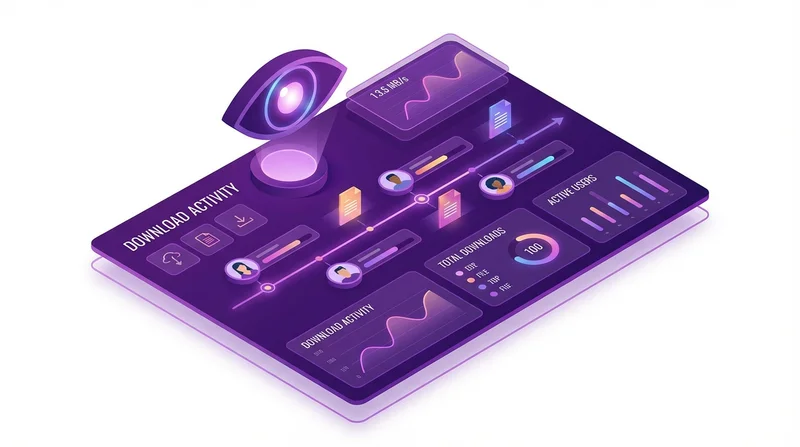
What You'll See
- Total download count
- Total view count (previews)
- Timeline of access events
- Geographic breakdown
- Device/browser statistics
Using Download Data Effectively
Sales and Business Development
When sharing proposals or marketing materials:
- See when prospects engage with your materials
- Follow up shortly after they download
- Identify highly engaged leads (multiple downloads)
- Understand which materials get the most attention
Client Delivery
When delivering files to clients:
- Confirm delivery without needing client confirmation
- Follow up if files haven't been downloaded after expected time
- Document delivery for records
Security Monitoring
For sensitive files:
- Detect unexpected downloads (wrong country, wrong time)
- See if link was accessed more than expected (possible sharing)
- Identify potential security breaches
Interpreting Download Analytics
Expected Patterns
- Download shortly after you send the link
- Access from expected location
- Reasonable number of downloads
Warning Signs
- Many downloads from unexpected locations
- Access at unusual hours
- Far more downloads than recipients
- Continued access after project ends
If you see warning signs, consider revoking access or investigating further.
Privacy Considerations
What You Can Ethically Track
- Your own files shared with your links
- General access patterns
- Anonymous aggregate statistics
What to Disclose
If sharing in professional contexts, consider noting that downloads are tracked. This is especially important for:
- Job applicant materials
- Legal documents
- GDPR-covered recipients
Combining Tracking with Other Features
Tracking + Password Protection
With password protection, you know anyone who downloaded had the password, narrowing down who accessed the file.
Tracking + Expiration
With link expiration, you can set a deadline and see if files were downloaded before expiration.
Tracking + Download Limits
Setting download limits ensures the file can only be accessed a certain number of times, and tracking shows when those downloads occurred.
Tracking for Teams
With GetShared team features:
- Track downloads across all team shares
- See which team members' shares get the most engagement
- Aggregate analytics for shared folders
- Admin visibility into all sharing activity
Integrating Analytics Into Your Workflow
Proposal Follow-up Workflow
- Send proposal with GetShared link
- Monitor for download
- When downloaded, wait 24-48 hours
- Follow up with "I see you've reviewed the proposal, any questions?"
Client Delivery Workflow
- Send deliverables with link
- Monitor for download
- If not downloaded after 3 days, send reminder
- Document download time for records
Common Questions
"Can recipients tell they're being tracked?"
Download tracking is typically invisible to recipients. However, if asked or for transparency, you can disclose.
"What if the same person downloads multiple times?"
Each download is recorded. Multiple downloads from similar IP/device likely indicate the same person downloading again.
"Does previewing count as a download?"
GetShared separates views (previews) from downloads. You can see both metrics.
Conclusion
Download tracking transforms file sharing from a one-way action into an informed process. With GetShared's built-in analytics, you always know when your files are accessed.
Key benefits:
- Confirm file delivery
- Time your follow-ups perfectly
- Monitor for security issues
- Document access for compliance
Start tracking your file downloads today – try GetShared free.